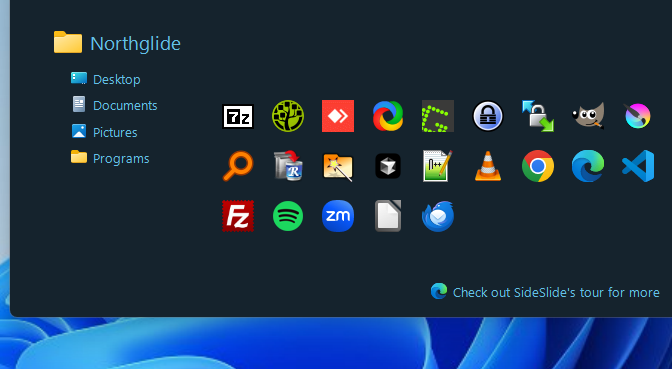

Main Features:
- A fully customizable workspace that's always within reach, yet stays out of your way until you need it.
- When collapsed, it transforms into a Dock Strip that keeps you informed with vital PC and weather information.
- Quickly add shortcuts, commands, URLs, RSS feeds, pictures, reminders, and notes.
- Use resizable, detachable, foldable, and shrinkable containers that can extend beyond your screen.
- Organize everything your way, with complete freedom and flexibility.
- Full mouse and keyboard support, plus a powerful launcher with an expression calculator and directory navigator.
- Built-in RSS reader with filtering and a Subject Tracker to follow only what matters to you.
- Add and view multiple picture slideshows.
- Create colorful floating notes that can be searched, bulk-edited, and customized individually.
- Secure your notes with encryption which will automatically re-encrypt after editing.
- Set detachable, multi-colored reminders that dock to the screen edge, showing just the title or time.
- Tag shortcuts for extra organization and advanced functionality.
- Use colored labels for extra organization control and clarity.
- Launch multiple shortcuts at once with the mouse or keyboard.
- Speed Launch: Open shortcuts instantly with a single keystroke.
- Link containers directly to folders to launch, move, copy, or delete files effortlessly.
- Drag & drop shortcuts, URLs, text, and images from Windows or your browser straight into the workspace.
- Open files instantly by dragging them from Explorer onto any workspace program.
- Use folder shortcuts to move or copy files from anywhere, with the option to keep both copies.
- Access an expanding online library of ready-made RSS and shortcut containers.
- Customize styles and settings globally or for each object individually.
- Smooth, modern effects that enhance the experience without slowing you down.
- Choose from built-in themes and wallpapers or create your own.
- Fully portable: install on a USB stick and run anywhere, even if the drive letter changes.
- 100% free with no ads, spyware, or bundled software. If you find it useful, consider a small donation.
- And much more...
Download SideSlide
The desktop should be used for what you are doing right now: Your documents, pictures and other files you are currently working on. For everything else it's much smarter to use SideSlide.
Discover more: Take the SideSlide Tour now!
SideSlide is a powerful, portable desktop assistant that keeps your workspace organized and clutter-free. More than just a program launcher, it's a desktop extension on steroids! With hundreds of innovative features, SideSlide puts you in control of a bewildering amount of information, letting you instantly access and organize everything you need, your way.
- SideSlide respects your system and keeps all of its configuration files in a single folder.
- SideSlide is completely free and void of adware or bundled software, relies on passion and donations to keep it going.
Dock and hide SideSlide's workspace to any screen edge. When tucked away, it transforms into a dock strip, a smart gadget that displays system info and live weather. With a quick gesture, the dock strip expands back into the full workspace, giving you access to your favorite RSS news feeds, shortcuts to files, folders, and URLs you visit frequently, and letting you execute commands faster than ever. Add notes and picture slideshows, schedule reminders, save web snippets, and more. Customize the workspace to highlight what you use most and make information accessible without occupying valuable screen space.
By using dynamic containers you can shrink and fold, a full featured keyboard launcher and navigator, an expanding online library, linked folders, detached containers, various ways of launching multiple shortcuts at the same time, shortcut tags, zooming in and out, news feed reader, different skins, pictures, quick reminders, expression calculator and colored notes; SideSlide is designed to make a great deal of content instantly accessible and neatly organized.
 Clean desktop 🧹 Clear mind 🧠 Faster workflow ⚡